Reports
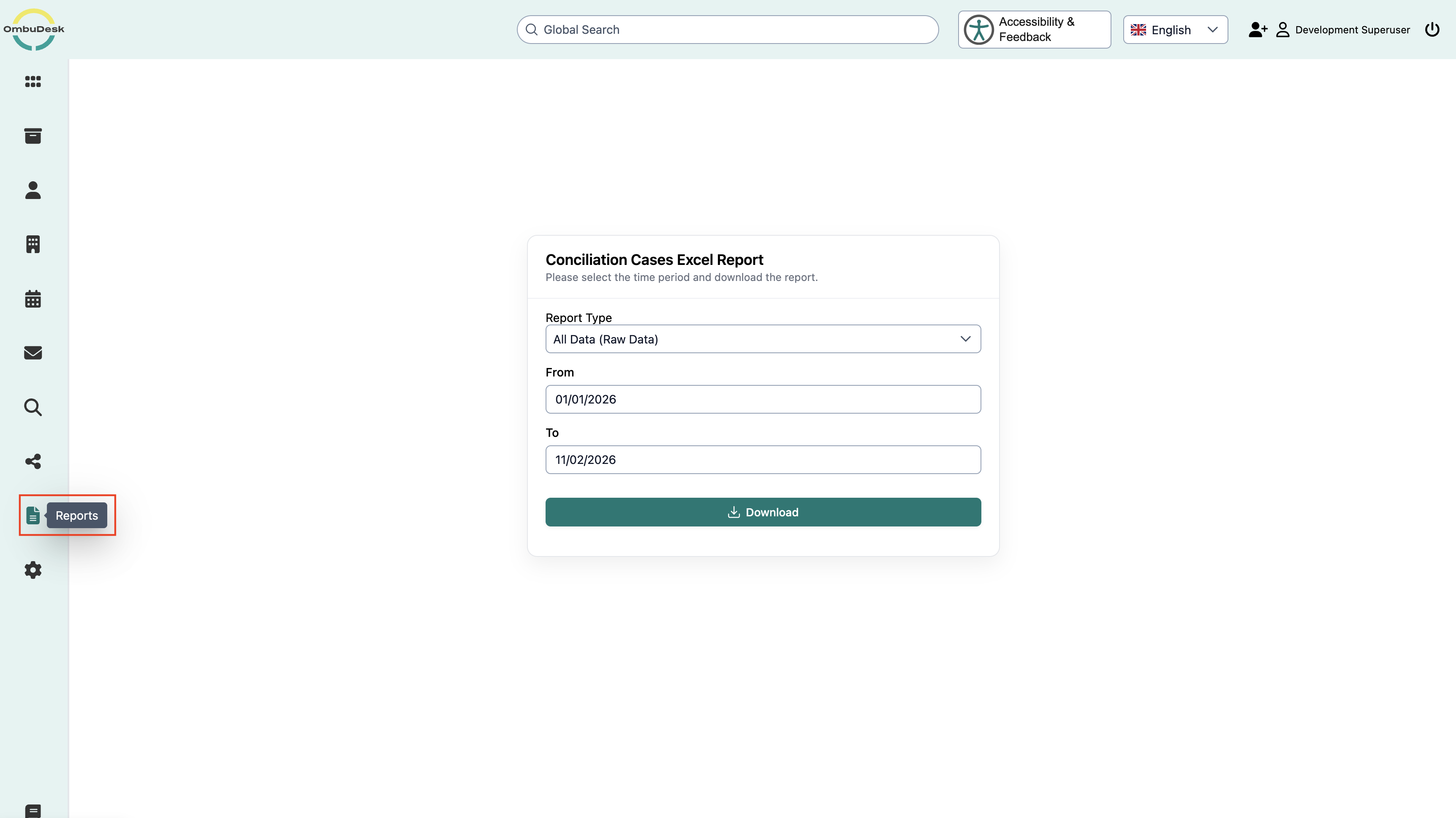
OmbuDesk allows you to create and download automated reports. Depending on the selected report, different case data and statistics are compiled.
Automated Reports
Which reports are available to you?
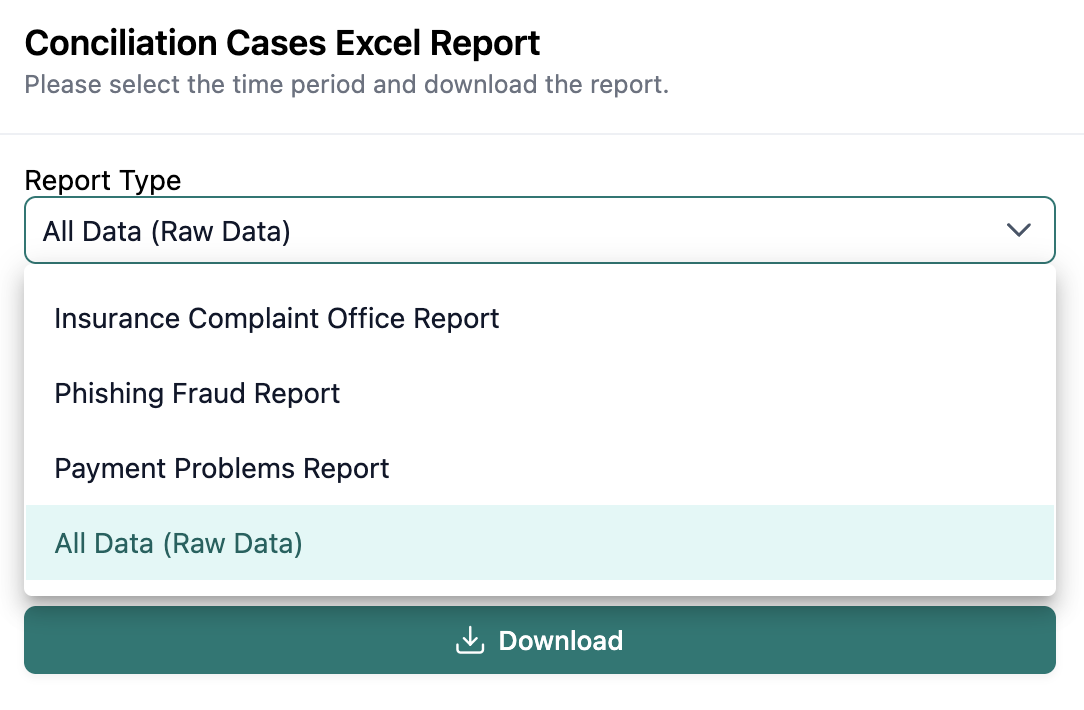
In OmbuDesk, you can choose between four different reports:
-
All Data (Raw Data/Excel)
This report contains a tabular overview of all cases created within the selected time period. The case data is compiled into an Excel file and can be used for further analysis.
-
Insurance Complaint Office Report (Word)
This report contains analyses of completed insurance complaints within the selected time period. Among other things, this includes a comparison of the case numbers with the previous year.
-
Phishing Fraud Report (Word)
This report contains statistics on completed phishing and fraud cases. These include, among others:
- General case statistics.
- Analyses of the recipient country.
- Statistics on unlawful payments.
- Statistical information about the applicants.
- Average damage amounts by age group.
-
Payment Problems Report (Word)
This report contains analyses of completed cases in the payment problems area. These include:
- The number of completed cases.
- Statistical information about the applicants.
- Analyses of the type of payment problem.
How do you create a report?
To create a report, proceed as follows:
- Open the "Reports" menu item.
- Select the desired report type from the selection list.
- Set the start date and end date for the desired reporting period.
- Click "Download" to create and download the report.
Both the start date and the end date must be specified in order to create a report. As long as one of the two fields is missing, the "Download" button is disabled.
Which time period is taken into account for the reports?
The reports differ in which date is used for the evaluation:
- All Data: Takes into account cases whose creation date falls within the selected time period.
- Insurance Complaint Office, Phishing Fraud, and Payment Problems: Take into account cases whose completion date falls within the selected time period.
In which format are the reports downloaded?
Depending on the selected report type, the reports are provided in different file formats:
- All Data: Excel file (
.xlsx). - Insurance Complaint Office: Word file (
.docx). - Phishing Fraud: Word file (
.docx). - Payment Problems: Word file (
.docx).
The downloaded files contain the selected reporting period in the file name.