Complainants & Respondents
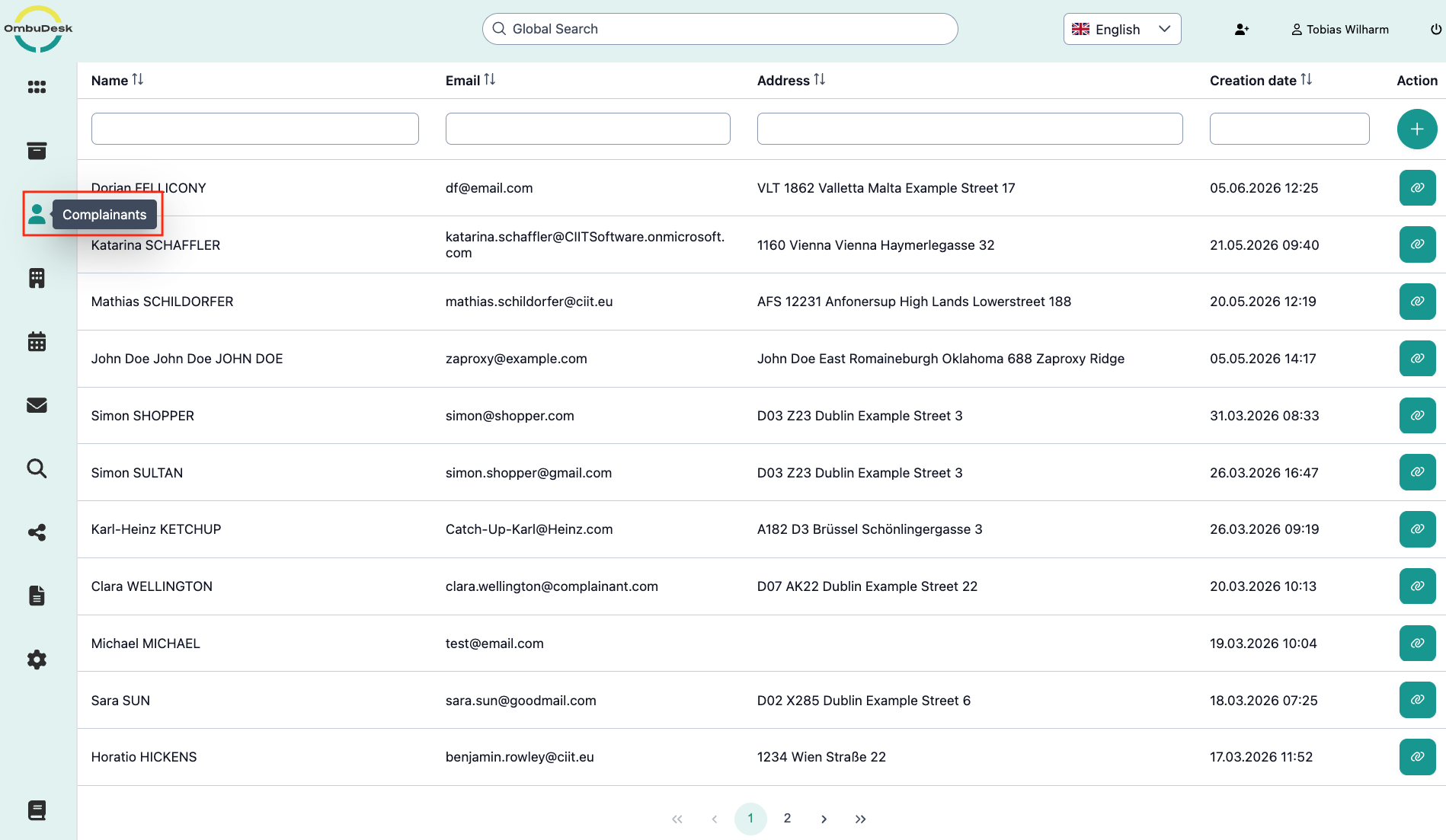
You will find both the "Complainants" directory and the "Respondents" directory in the left navigation bar.
Both directories work the same way, which is why the manual only explains the Complainants directory. All descriptions are also applicable to the Respondents directory.
What purpose does the Complainants directory fulfil?
You can see all complainants and their data. Here you will find the data which was submitted through the application form. The directory makes it easier to both search through your complainants and edit the associated data.
How is the Complainants directory structured?
The following information about your complainants is displayed in tabular form:
- Name: First and last name of the complainant.
- Email: The stored email address for contact.
- Address: Residence data of the complainant.
- Creation date: Date & time of the first application of a complainant.
Which search and filter functions can you use in the directory?
Above each information column, you will find fields that you can use for searching and filtering. Free text fields are name, email, and address; the date is a calendar to select the desired time period.

Which actions are available to you in the directory?

The following actions can be found on the right edge of the complainant directory:
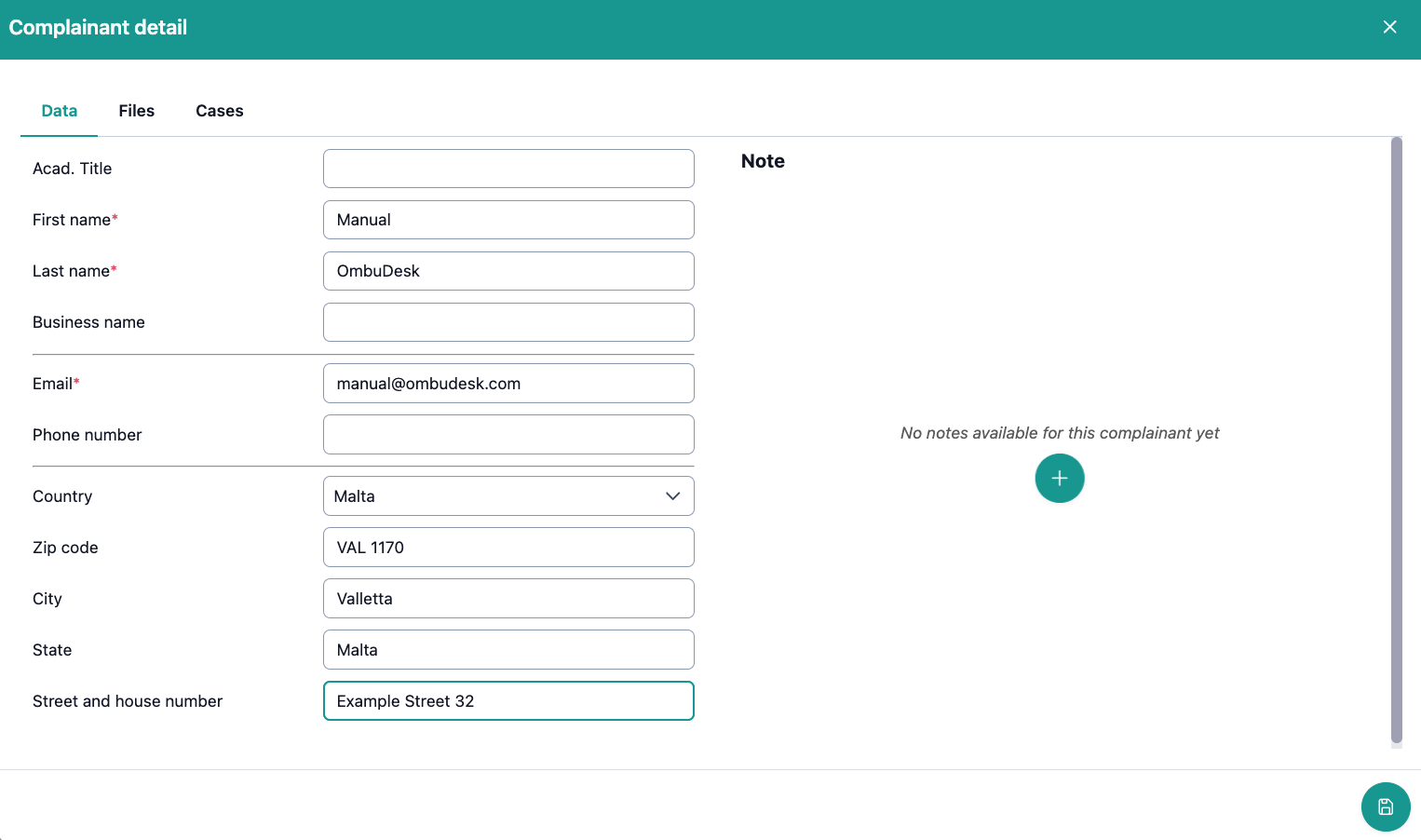
- Add new complainant: The green plus symbol allows you to manually create new complainants – e.g., for telephone inquiries – when you push the button, a dialog box opens:
-
Open linked information: Via the green paperclip symbol, you open the linked data record for a complainant. You see the same view as in the previous image, but with the stored data.
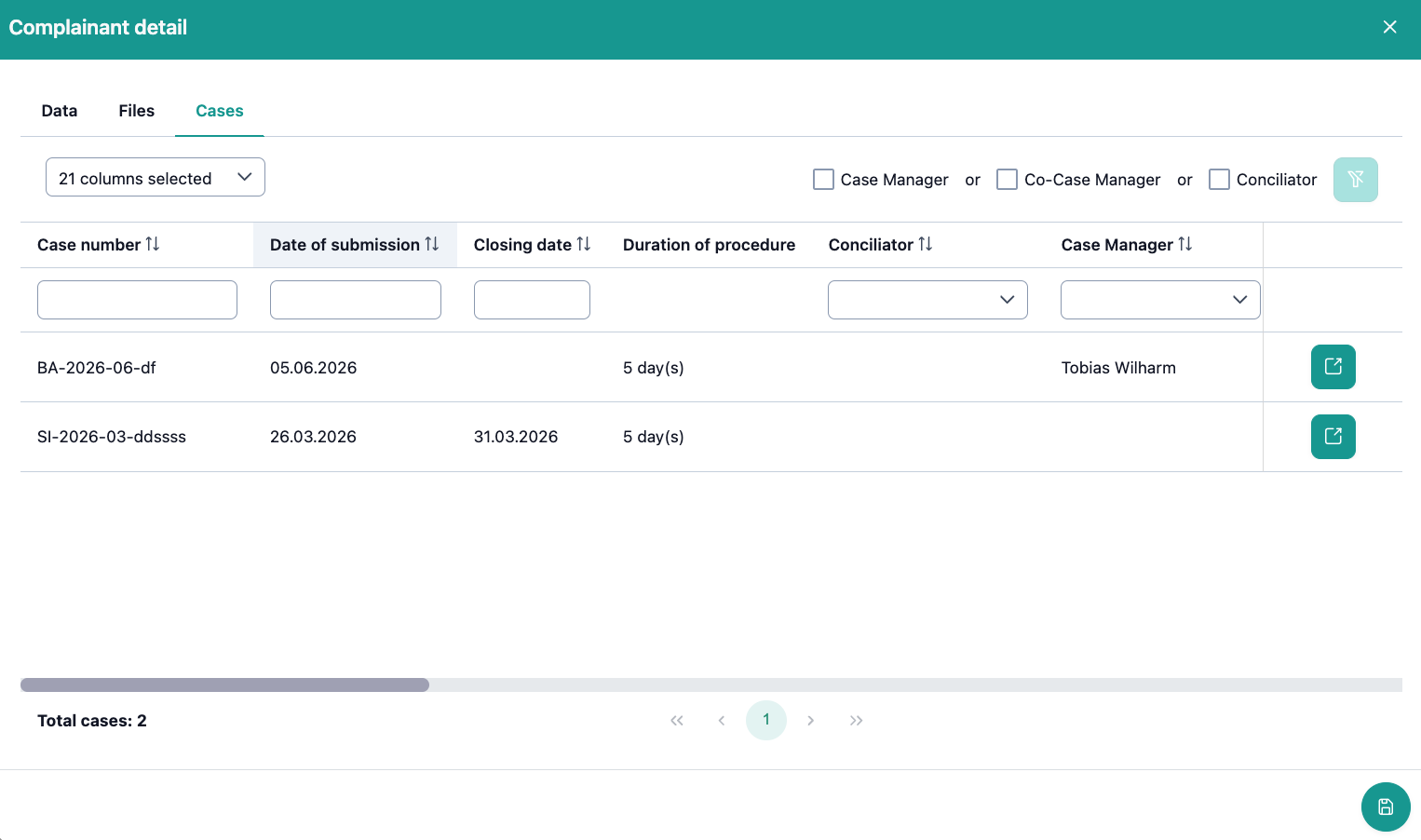
For example, if you want to see all linked complaints for a complainant, simply navigate to "Files":
- Reset filters: If you have activated filter and search functions, you can deactivate all filter conditions again via the green funnel symbol.
How can you make changes to the data?
If you navigate to the data view of a complainant, you can easily change all master data. The changes are applied to all open cases to which the person is assigned.