AI Features
You have access to the AI Features at two different locations. They are always part of the quick actions at the bottom of every digital case file. They are also accessible at the bottom of the "write message" window.
OmbuDesk Chatbot
You see the OmbuDesk Chatbot as soon as you click on "AI Features".
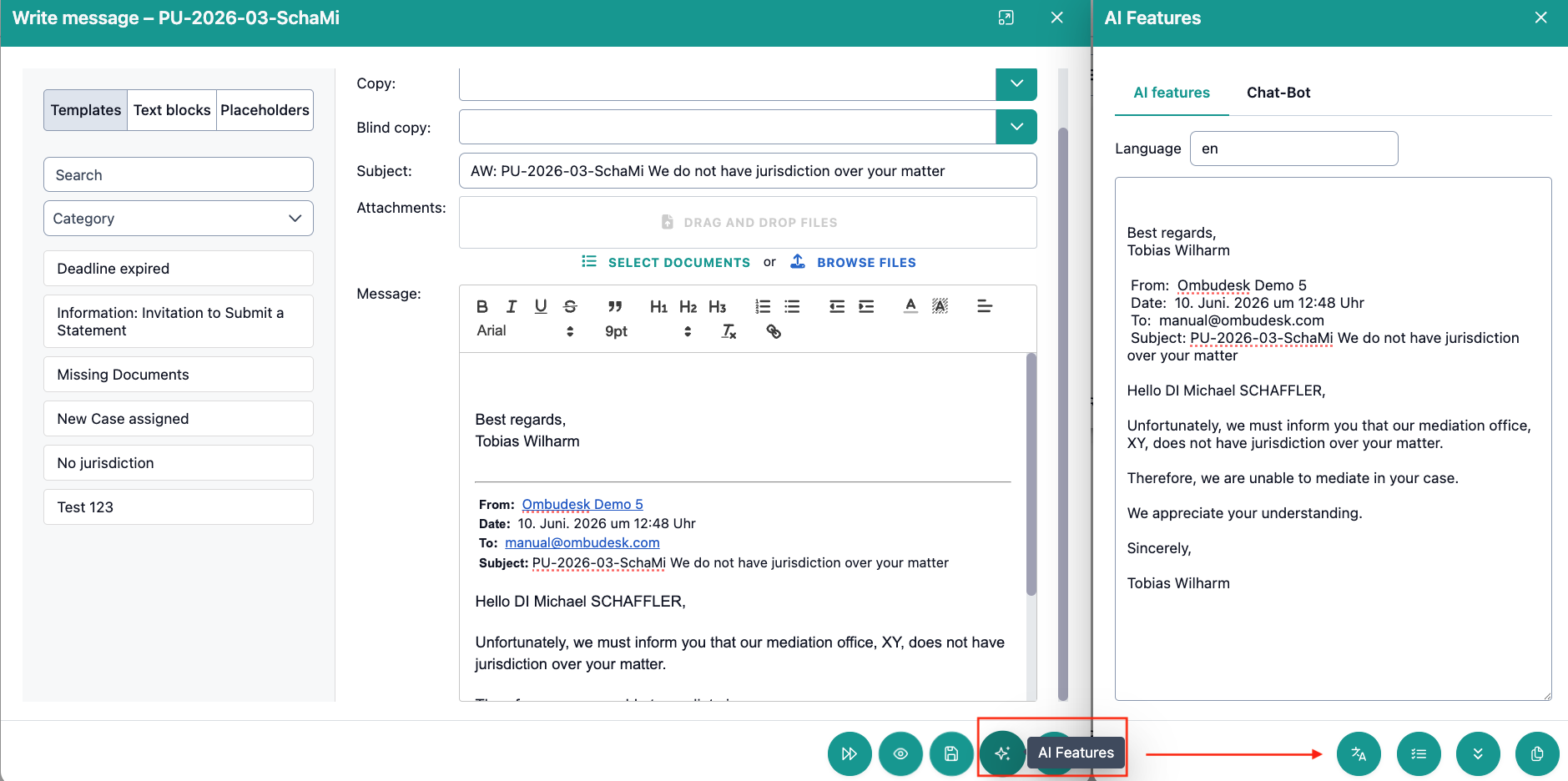
How does the OmbuDesk chatbot support you?
The OmbuDesk chatbot is familiar with the details of the respective case and can answer your questions about it. You can therefore use the OmbuDesk chatbot as an assistant, for example, to determine the next required actions.
Depending on whether you have highlighted any text in the email before opening the AI features, you either will see the entire text of the email (nothing highlighted) or only the highlighted text.
AI Text Features
In addition to the OmbuDesk chatbot, there are three AI features that ease the communication with your parties:
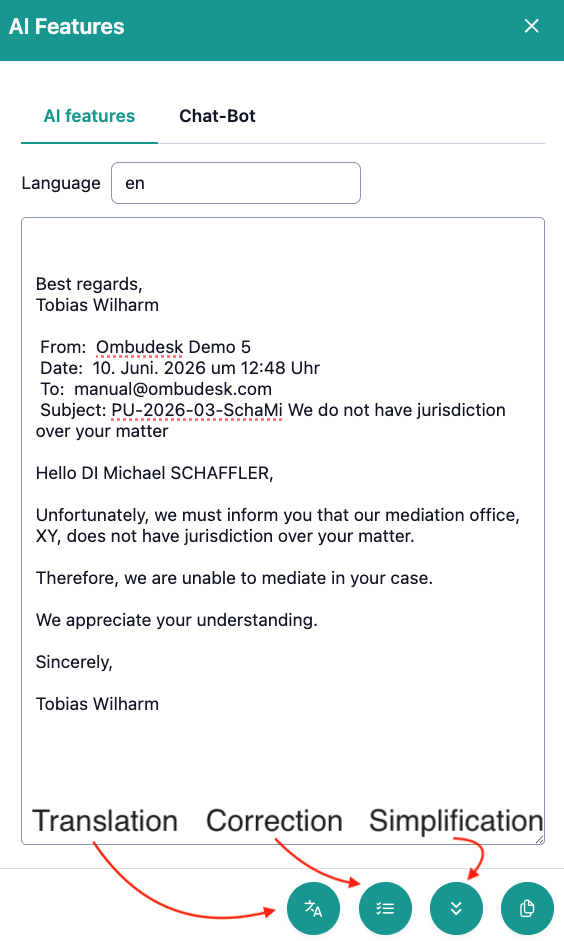
1. Translation
The translation function allows you to translate the text in the window into all languages supported by your AI model. This grants you access to 70+ languages.
2. Correction
The correction function corrects all errors in the dialog window with one click. Thus avoiding any spelling mistakes.
3. Text Simplification
Text simplification reduces the complexity of any given text. You can use this to easily understand wordy messages from any party. But it's also useful to dumb down your own communication.
Useful tip: Research has shown that the average reading level of an adult is hovering between the 7th and 8th grade.
AI Summary
The AI summary uses the application form, documents and the entire communication to provide you with a concise summary.
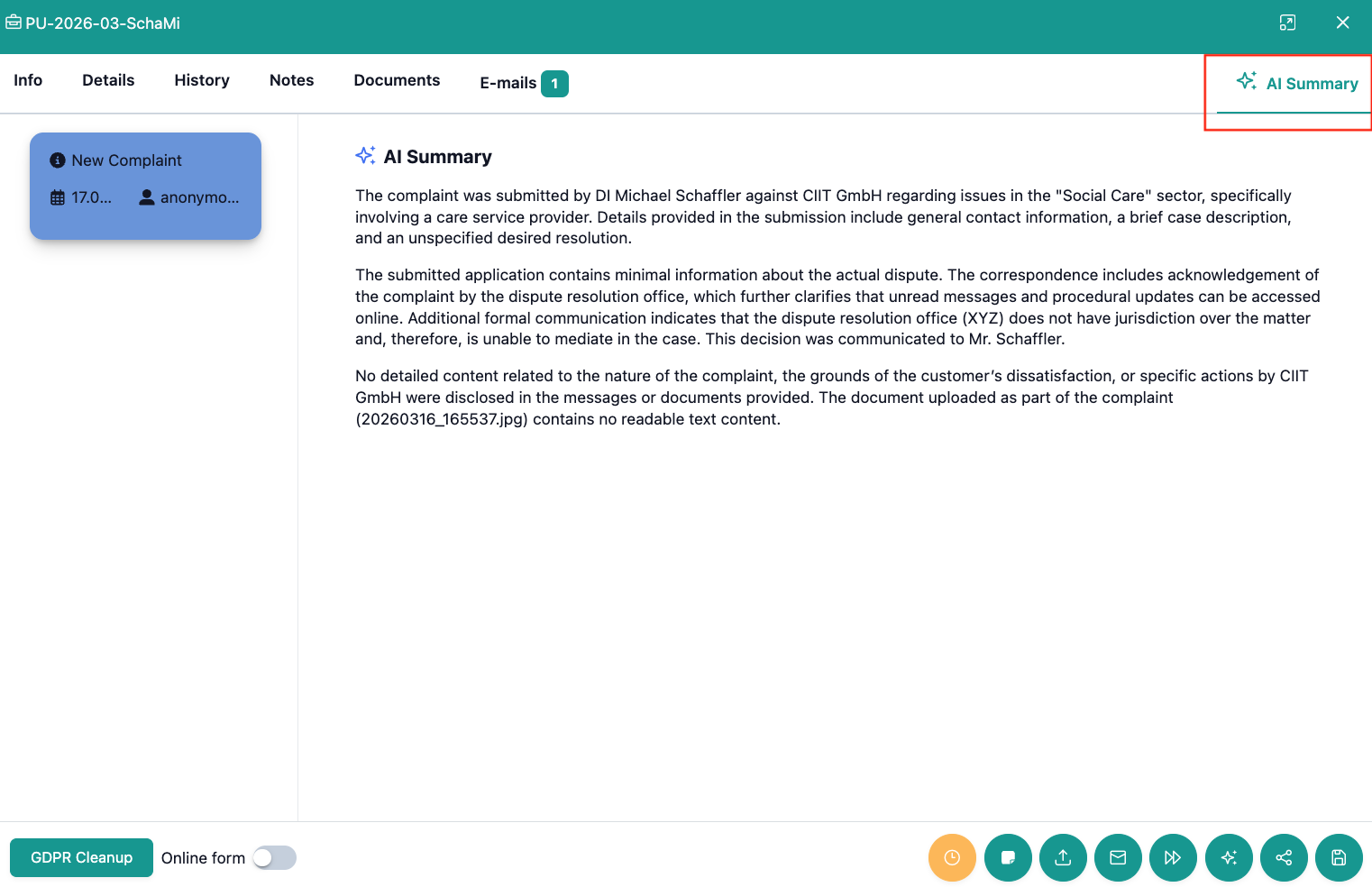
The AI summary provides you with a quick overview and current state of any case.
Which AI model creates your AI summaries?
Any AI model can be connected to OmbuDesk to generate AI summaries. In the test environment, OmbuDesk uses a version of ChatGPT hosted within Europe.
What advantages does an AI summary offer you?
If you work on many different cases every day, it is possible that you no longer know the context when a new development occurs in any given case.
With the AI summary, you can quickly & easily get an overview of every case.
This allows you to ...
... save time, because you don't have to look at the entire case history again.
... continue unknown cases more easily, because you immediately see the processing state of a colleague in the summary.
... focus on the essentials, because you don't have to waste energy reviewing documents, emails, etc.
What is the problem if there is no AI summary yet?
If you don't see an AI summary for a case yet, the case is too recent for a generated summary. It usually takes half an hour for the summary to appear.
Is the AI summary always up to date?
Yes, the AI summary is updated with every change. So if a new development happens in a case (a new message was received, documents were uploaded, etc.), the AI summary will reflect the changes within half an hour.