Intervention
How do interventions work?
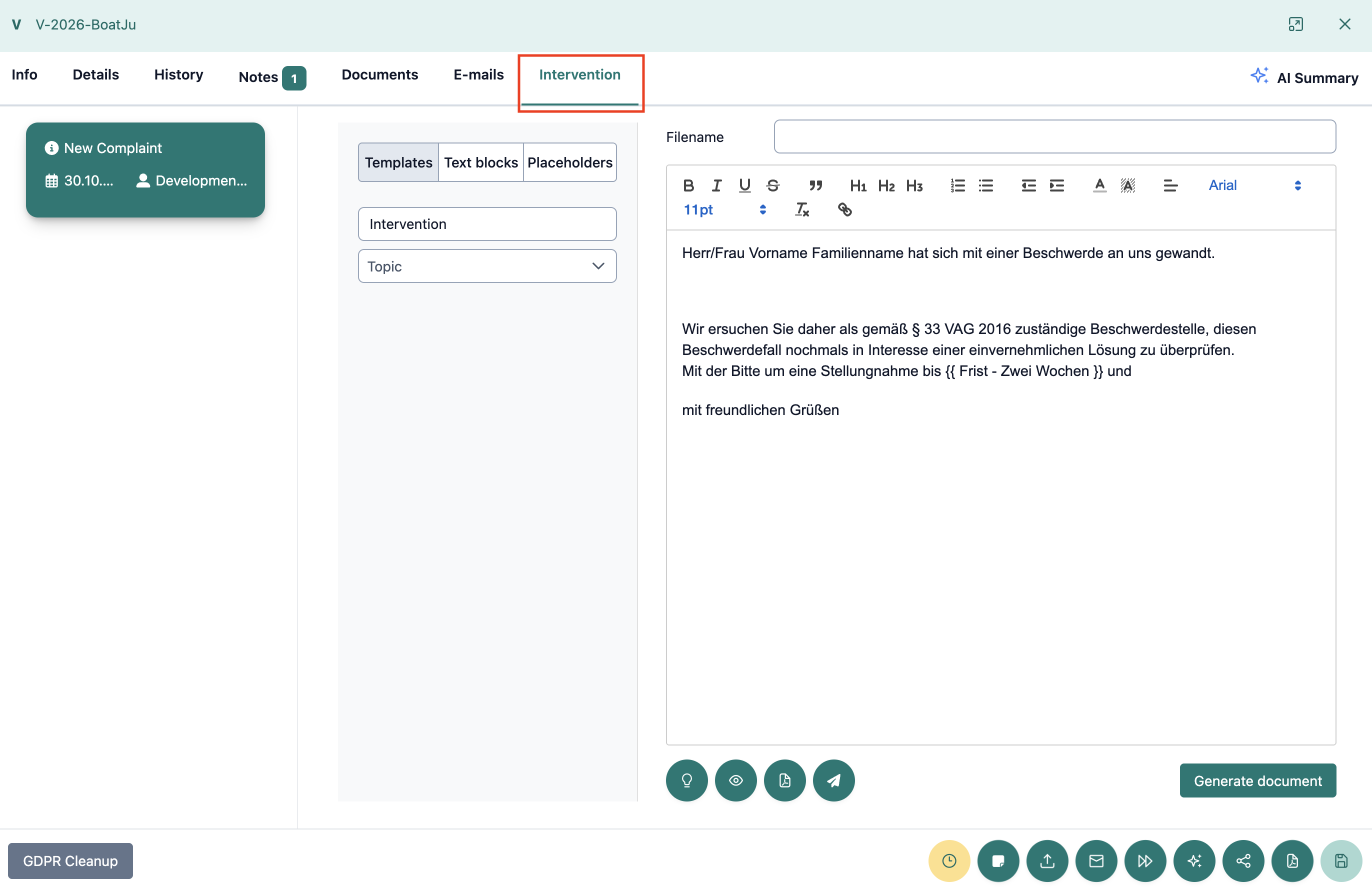
In the "Intervention" tab, you can create and edit letters for an arbitration procedure. Various templates, text blocks, and placeholders are available to you for this purpose.
In addition, you can have suitable interventions suggested to you with the help of an AI function.
How do you create an intervention?
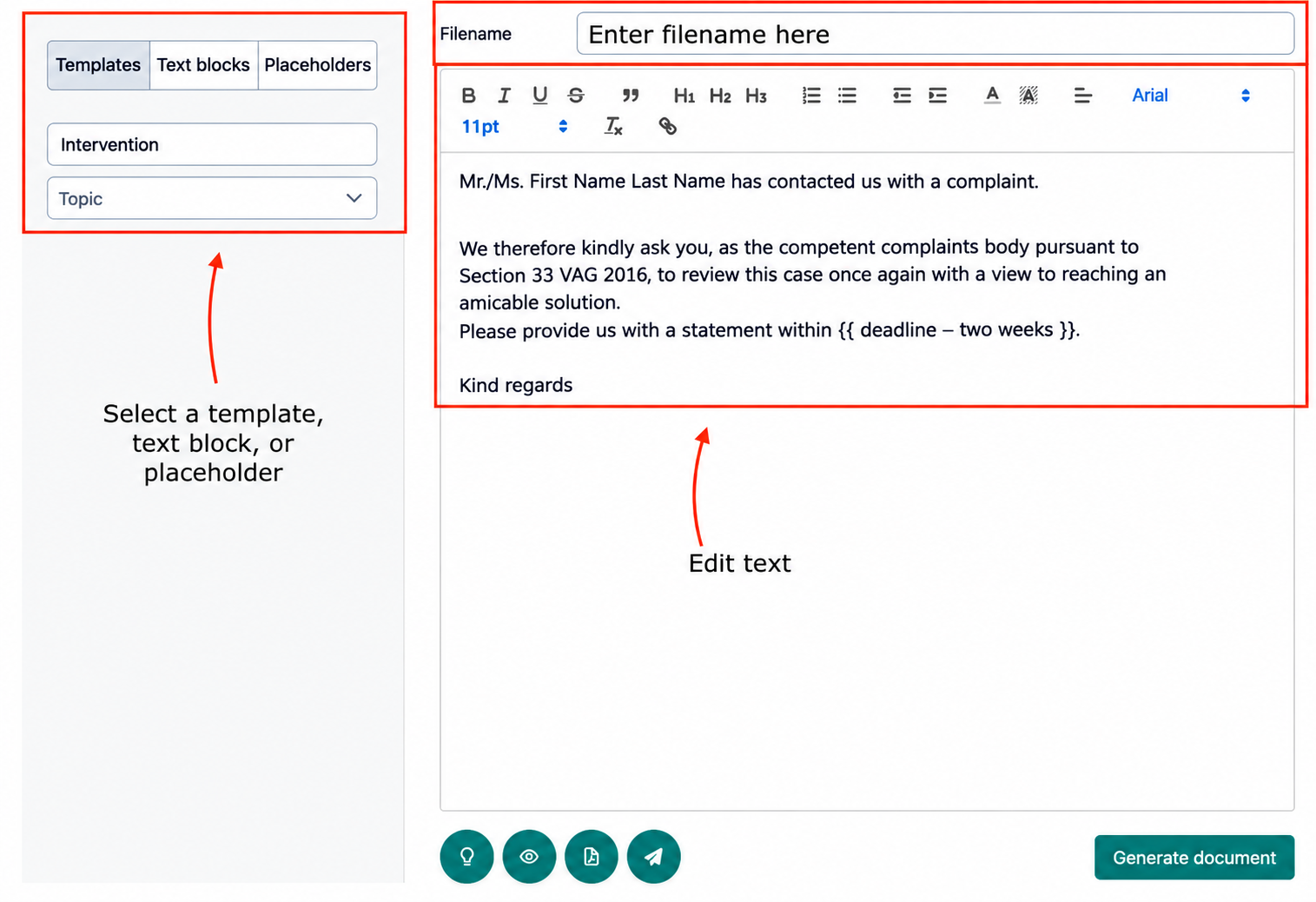
On the left side of the tab, you will find three selection options:
- Templates: Select an existing intervention template. The templates are organized by topic and can be used as a basis for your letter.
- Text blocks: Use prepared text modules to supplement your letter.
- Placeholders: Use placeholders for information that should be added to the letter.
On the right side, there is a text editor in which you can edit the selected intervention.
Here you can adjust the content, add text, and apply various formatting.
Above the text editor is the "Filename" field, where you can set the file name for the document.
How can you have a suitable intervention selected by AI?
Using the button with the lightbulb symbol below the text editor, you can open the "Select Matching Intervention with AI" function.

The AI supports you in finding a suitable intervention for the current case.
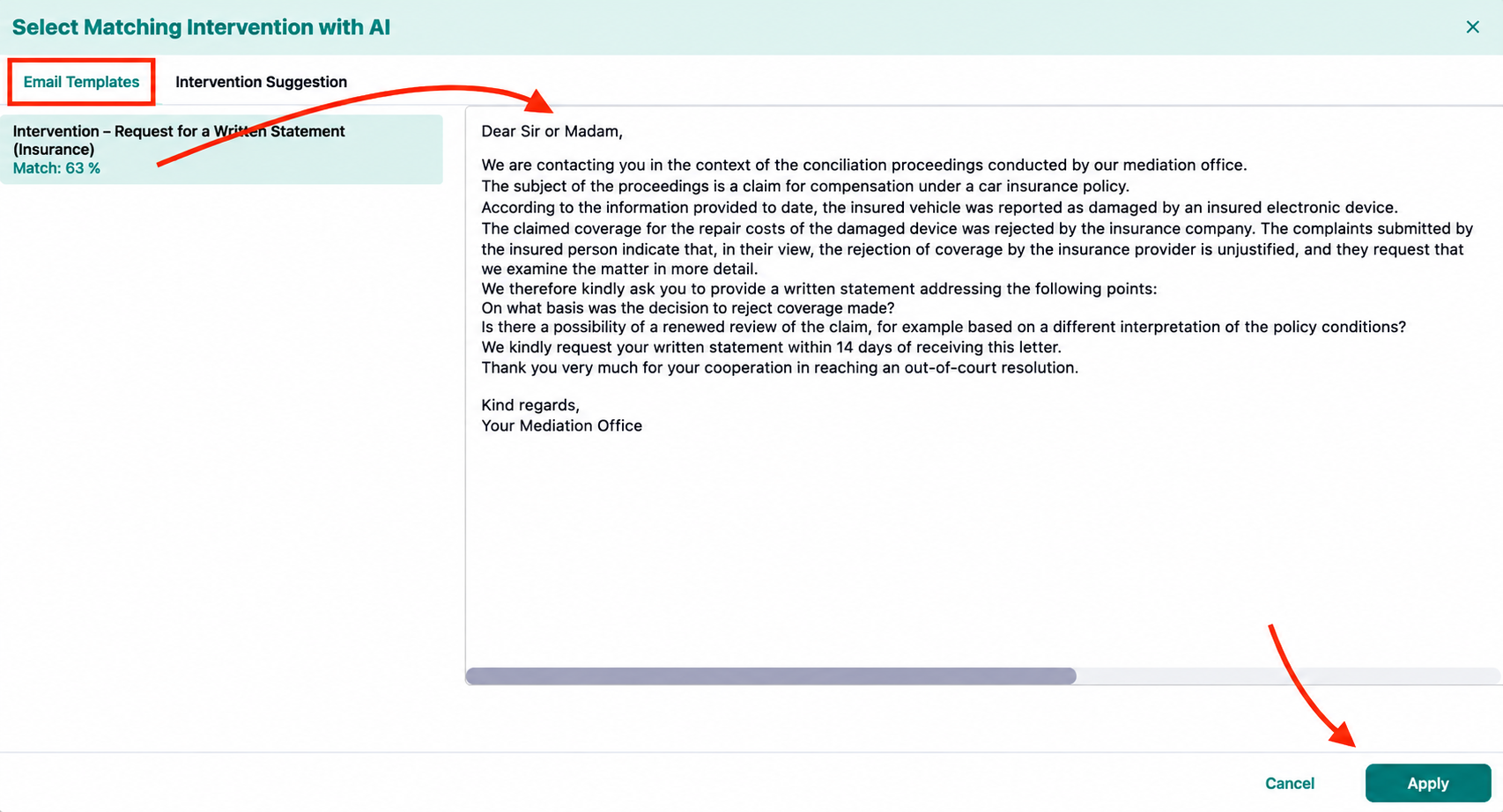
After clicking, a dialog with two tabs opens:
- Email Templates: Here, suitable existing templates are suggested to you. A percentage match is shown for each template, indicating how well the template fits the current case according to the AI.
- Intervention Suggestion: Here, the AI creates an individual intervention suggestion based on the current case. The reference cases used are also displayed.
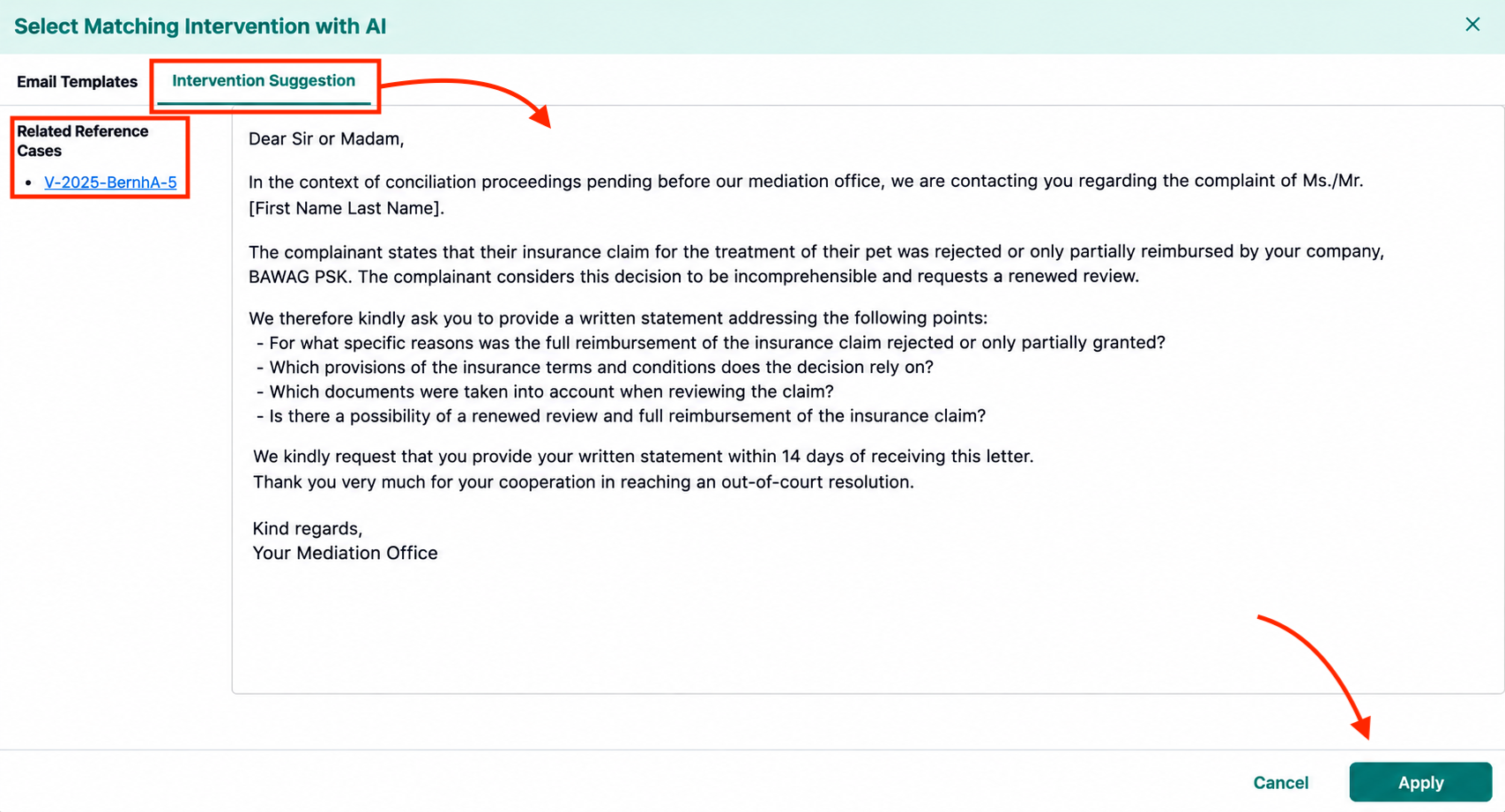
You can view and compare the suggested texts directly in the dialog.
Once you have found a suitable suggestion, click on "Apply" to transfer it to the text editor.
Click "Cancel" to close the dialog without applying a suggestion.
Check AI-generated content for accuracy and completeness before using it. The suggestions serve as support and can be adjusted in the text editor if needed.
How do you create a document from an intervention?
Once you have finished editing your intervention, you can create a document from it.
To do this, click the "Generate document" button to the right below the text editor.
A confirmation dialog opens, informing you that the document will be generated and the intervention will be frozen.
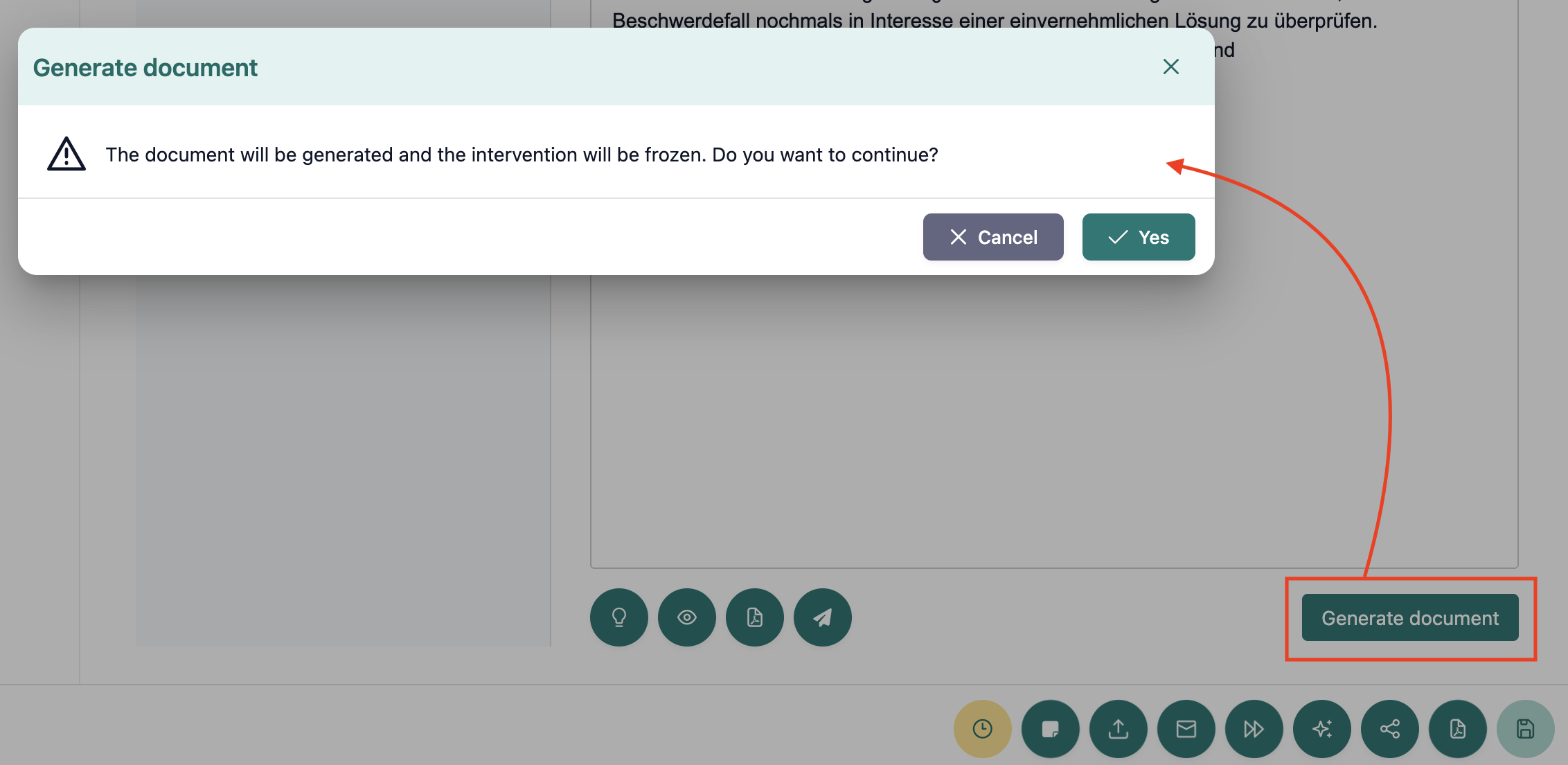
You now have two options:
- Cancel: The process is canceled and you can continue editing the intervention.
- Yes: The document is created and the intervention is frozen.
Carefully check the content of your intervention before confirming, as the intervention is frozen when the document is created.