Info & Details
In the central case file, you will find the Info and Details tabs in the first and second positions. Here you can manage master data and use custom fields.
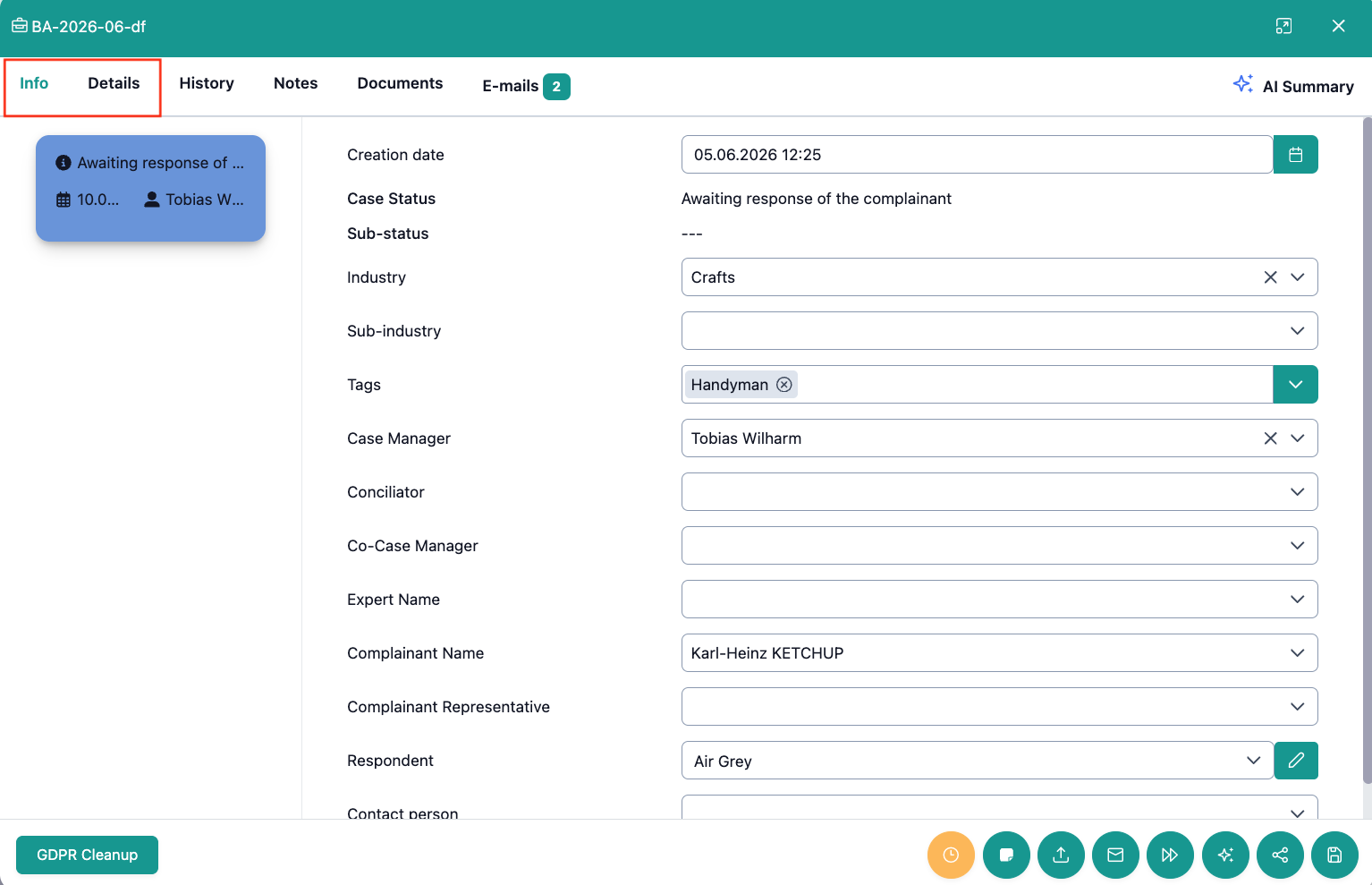
Which data fields do you find in the Info tab?
The Info tab bundles the following information about a case in OmbuDesk:
-
Basic Data:
- Creation date
- Case status / Sub-status
- Industry / Sub-industry
- Tags
-
Master Data:
- Name of the complainant
- Representative of the complainant
- Name of the respondent
- Contact person at the respondent
-
Responsibilities
- Case Manager
- Co-Case Manager
- Conciliator
Purpose of the tab
The Basic Data provides an overview of the case and allows you to correct the (sub) industry at any time if necessary.
The Master Data contains all personal data for a case in OmbuDesk.
The Responsibilities show the employees responsible for this case in your dispute resolution office.
All responsibility fields are drop-down menus, which gives you the option to manually assign cases or make changes to the responsibilities.
Which data fields do you find in "Details"?
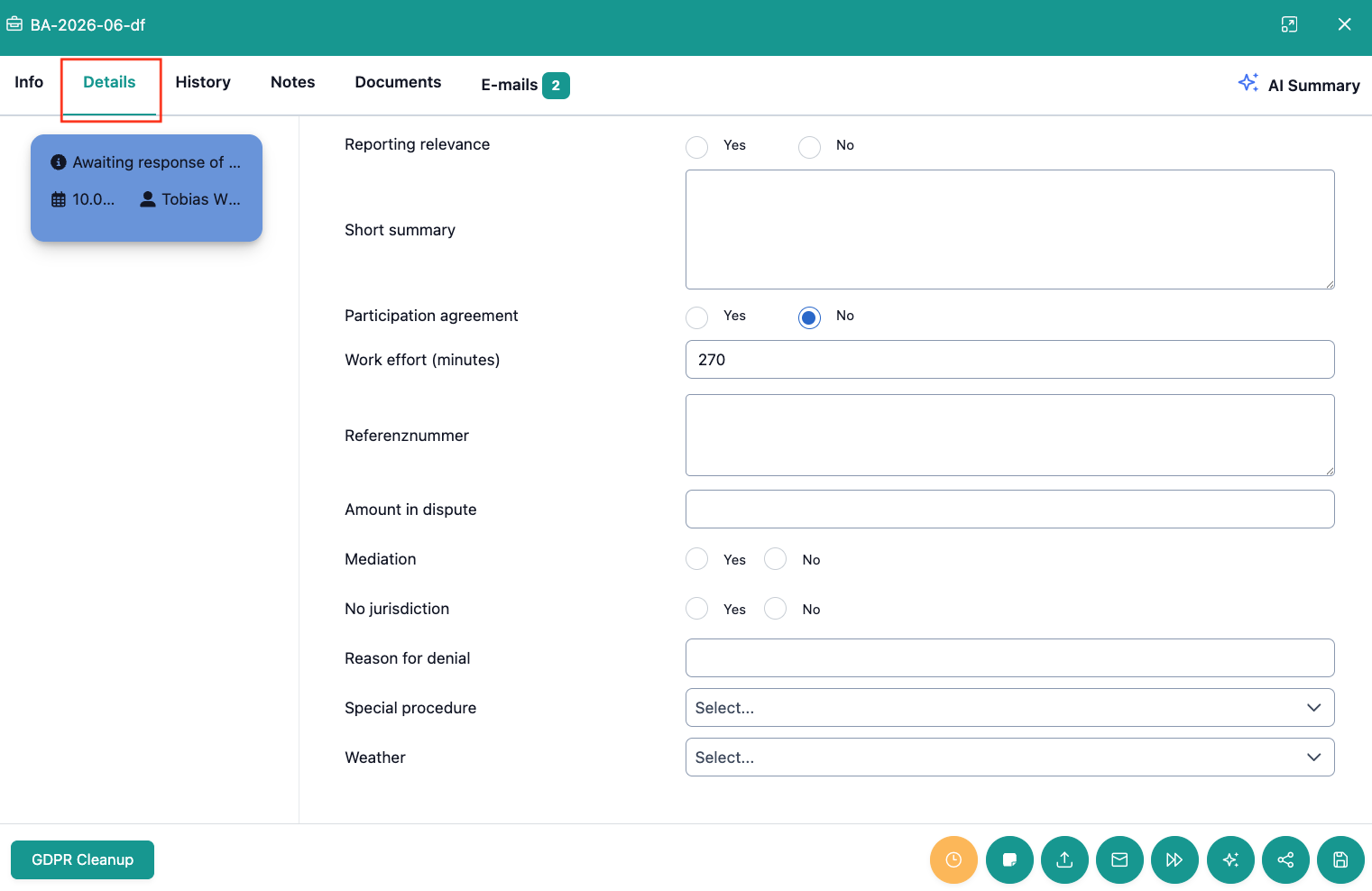
Every data field in Details can be customized by you in the settings. The customizing options are explained in the linked settings area.
The following examples of data fields in "Details" give you a first glance of your options:
- Reporting relevance: Use a Yes/No selection to determine whether this case should be included in the official reports (e.g., for supervisory authorities).
- Short summary: A text field where you can note down information about the case.
- Participation agreement: Yes/No selection documenting whether the parties have agreed to the process of dispute resolution.
- Work effort (minutes): Automated time tracking. The time spent in a case file is recorded every 60 seconds.
- Reference number: A free text field for file numbers of respondents or other external references.
- Special Procedure: A drop-down menu that allows you to select various special procedures.
Fields that have been added to this specific test environment:
- Amount in dispute: Numeric field that lets you note down the amount in dispute.
- Mediation: Yes/No selection to determine if a mediation attempt is in progress.
- No jurisdiction: Yes/No selection to mark down if a case falls under your jurisdiction or not.
- Reason for denial:: Simple text field that allows you to note down the reason for a denial of service.
- Weather: Example of a drop-down menu with different whether states.
Purpose of the tab
In the Details tab, you can freely add or remove fields that you need or no longer need for processing your cases.
How can you save changes in the info or details tab?
When you make changes in the Info tab or in Details, they only become valid after saving.
You can save your changes at any time at the bottom right, via the cassette symbol, which is at the last position of the quick actions.

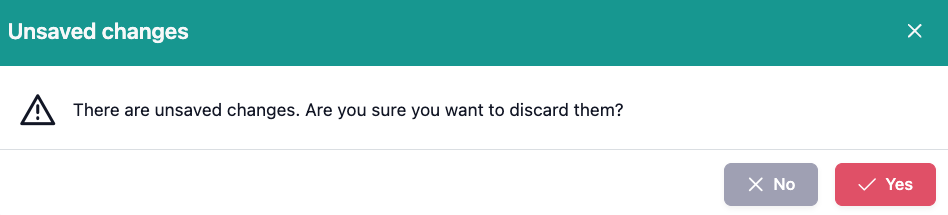
If you have unsaved changes, when closing the digital case file, you will be asked if you want to save the changes.