Standard Documents
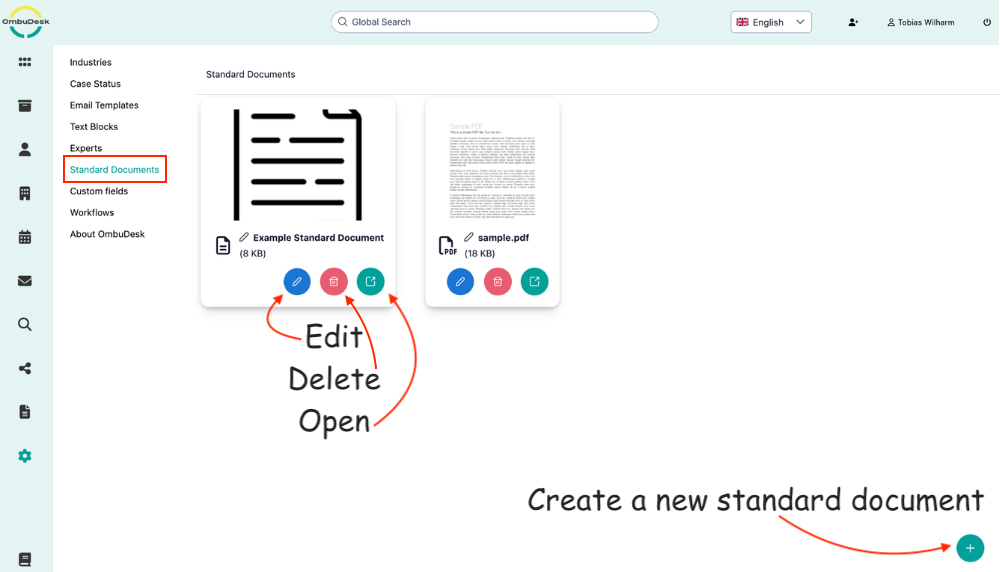
OmbuDesk offers the possibility to store standard documents in the admin area.
What actions are available for standard documents?
- Add new document: You can add a new document via the green plus symbol at the bottom right edge.
- Change document name: You can rename a document via the pencil symbol next to the display name of documents.
- Delete / Open document: You can delete a standard document via the red trash can symbol or open it via the green arrow.
Where can you use standard documents?
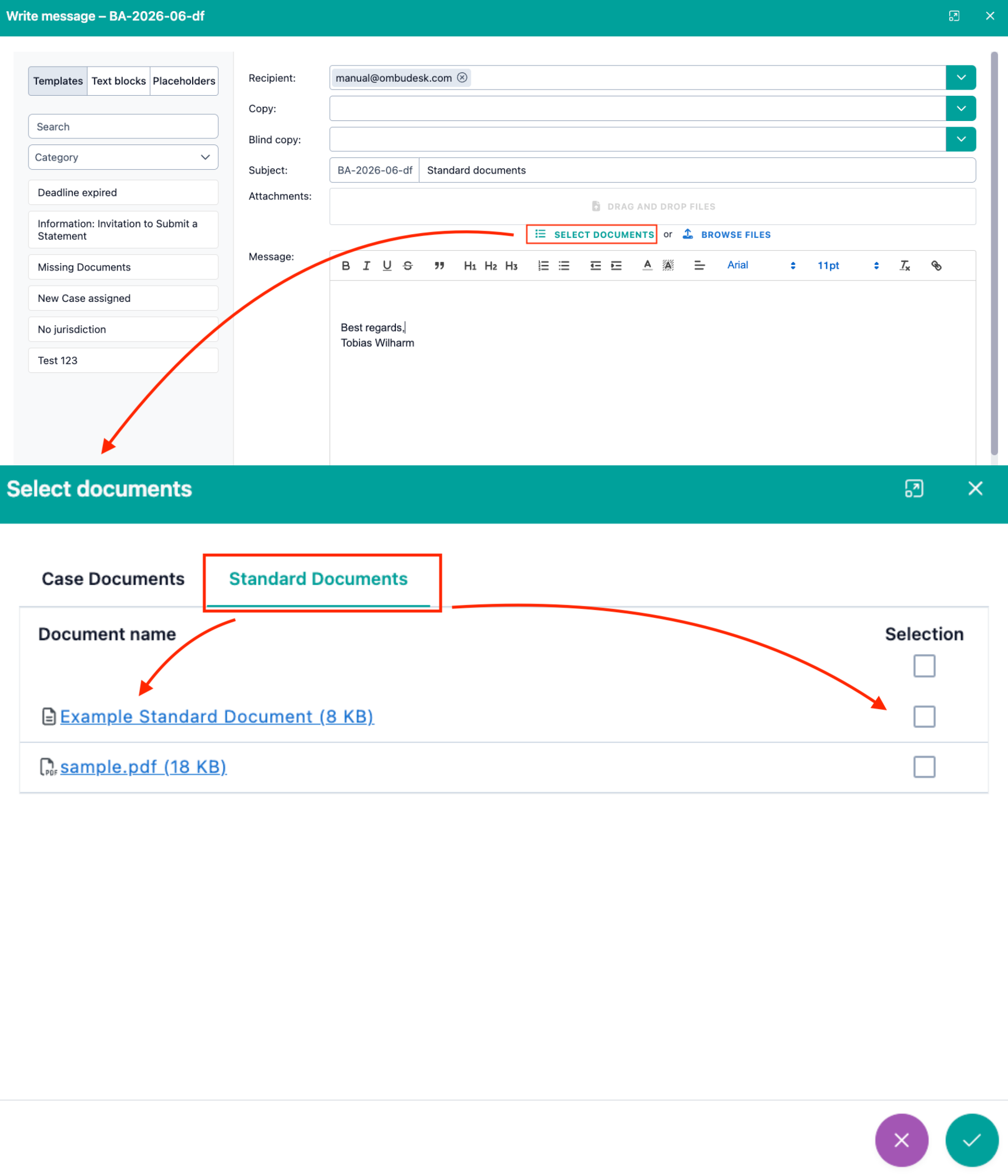
When you write a message to one of your parties, you can easily add a standard document.
Follow these steps:
- Open a digital case file.
- Select the "Write message" quick action.
- Click the "Add document" button.
- Switch the view to standard documents.
- Select the desired standard document to add it.