Email Profiles & Signatures
In OmbuDesk, you can create, edit, and manage your personal email signature. It is automatically inserted when composing emails and assigned to the sender address used.
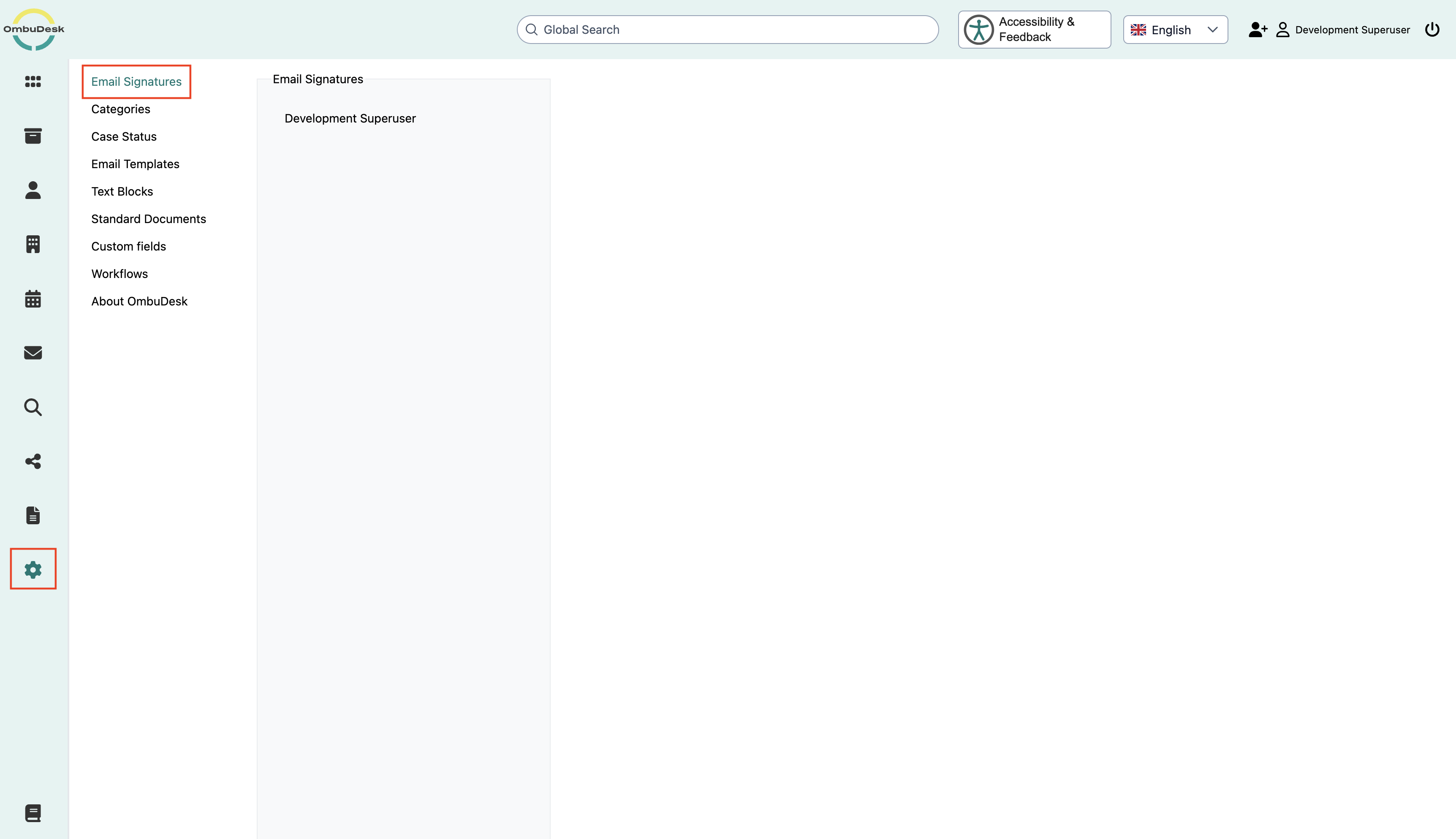
You can find the management of your email signatures under Administration → Email Signatures.
Email profiles and sender addresses
Email profiles are used to assign sender addresses in OmbuDesk. Each profile contains a stored email address and can be assigned to specific industries.
When composing an email, the sender address is displayed in the "From" field. If several profiles are stored, they are sorted taking into account the industries of the respective case.
Email profiles are set up technically and cannot be created, edited, or deleted via the user interface.
Note: In the current version, emails are sent via the configured default sender address. The display of additional profiles does not automatically mean that they can be used for sending.
Email signatures
Using email signatures, you can determine which text is automatically inserted at the end of your outgoing messages.
A personal signature can, for example, contain the following information:
- Greeting
- First and last name
- Function or department
- Phone number and other contact details
The signature is assigned to your user account and the respective email profile.
Create or edit your own email signature
To customize your personal email signature, proceed as follows:
- Open Administration → Email Signatures.
- Select your name in the user list.
- Check in the Email address field for which profile the signature is stored.
- Enter your desired signature in the text editor or edit the existing text.
- Click Save to apply your changes.
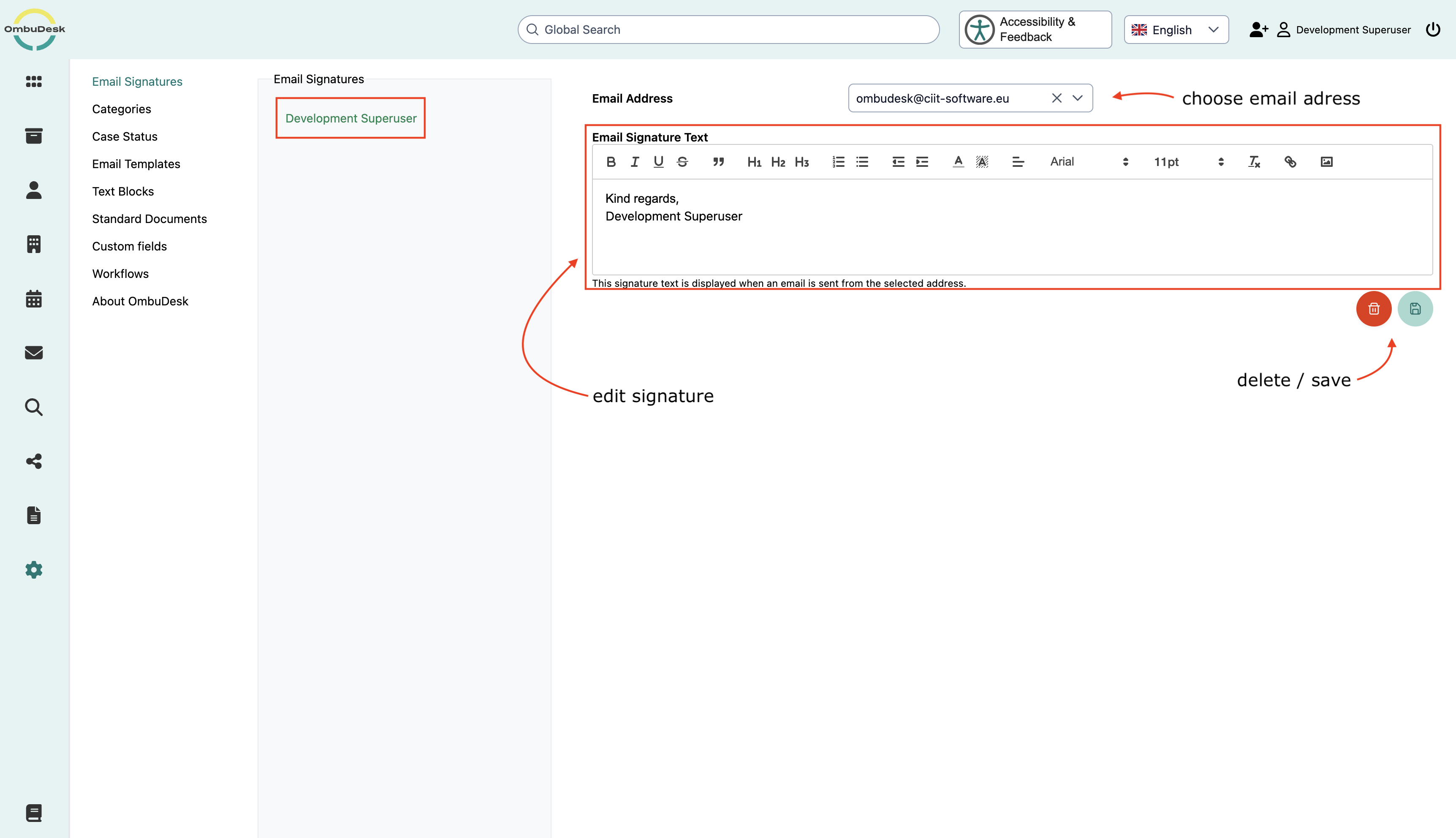
Your signature will then be automatically used when composing new emails.
Format signature
In the text editor, you can individually design your signature.
The toolbar provides you with various formatting options. For example, you can highlight text, adjust font formatting, or insert images.

Inserted images can be edited or removed using the corresponding editor functions.
Note: A completely empty signature cannot be saved. If you do not want to use a personal signature, you can delete an already saved signature.
Default signature
If you have not yet saved a personal email signature, OmbuDesk automatically provides a default text.
This reads, in essence:
Kind regards,
First name Last name
The name is taken from the information in your user account. Depending on the user account, the login name may be displayed instead.
You can edit this text at any time and save it as your personal signature.
Signatures for automatic messages
Personal email signatures are used when manually composing messages.
Automatically generated messages, for example in connection with a status change, can instead contain their own predefined signatures.
A change to your personal signature therefore does not automatically affect the signatures of all system messages.